
Users in Breeze is an optional feature enabled by an administrator to require logging into Breeze, to control what users are allowed to do.
Users
When Breeze is started, by default you have full access to the whole software (as your license allows).
If you want to restrict what different users of a PC can do in Breeze, you can enable beta support for user management on the Users page in Settings. This allows an administrator to create users for other people, assign passwords, and assign a role to each user specifying what the user is allowed to do in the software.
When this feature is on, you have to log on to Breeze when it is started:
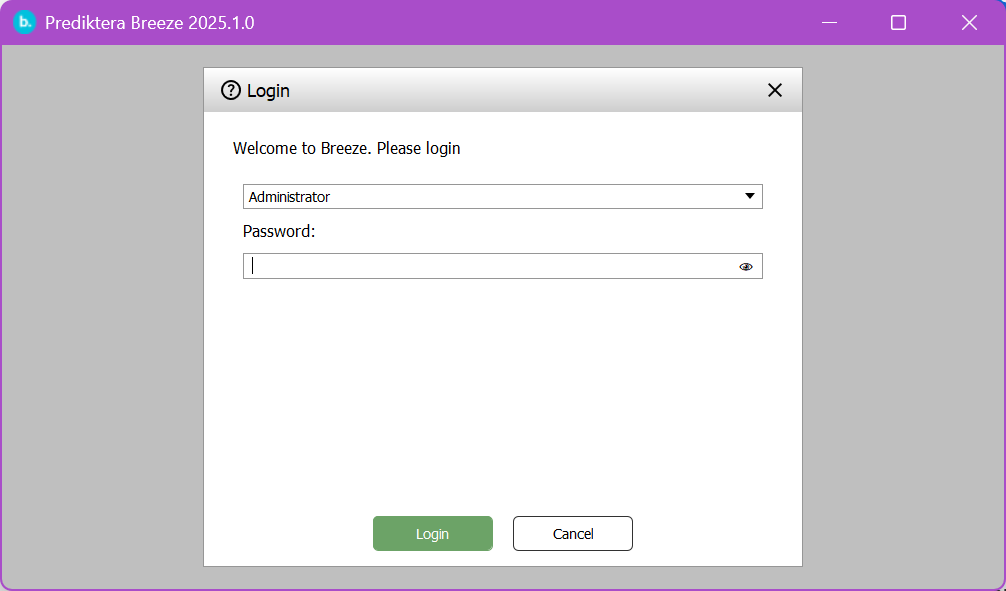
Users in Breeze is not a security boundary and can be circumvented by someone that have access to the logged in Windows users on the PC.
The built in user Administrator holds the role Administrator and has an empty password.
Breeze user roles
Each user in Breeze holds a single role. Available roles are:
|
Role |
Purpose |
Not available |
|---|---|---|
|
Recorder |
Control cameras and other settings, record measurements from cameras, run existing workflow Analysis Tree |
Modelling, editing the Analysis Tree, deleting data, user management |
|
Expert |
Do everything in Breeze, except managing users. |
User management |
|
Administrator |
Do everything in Breeze, including User management. |
- |
Managing users
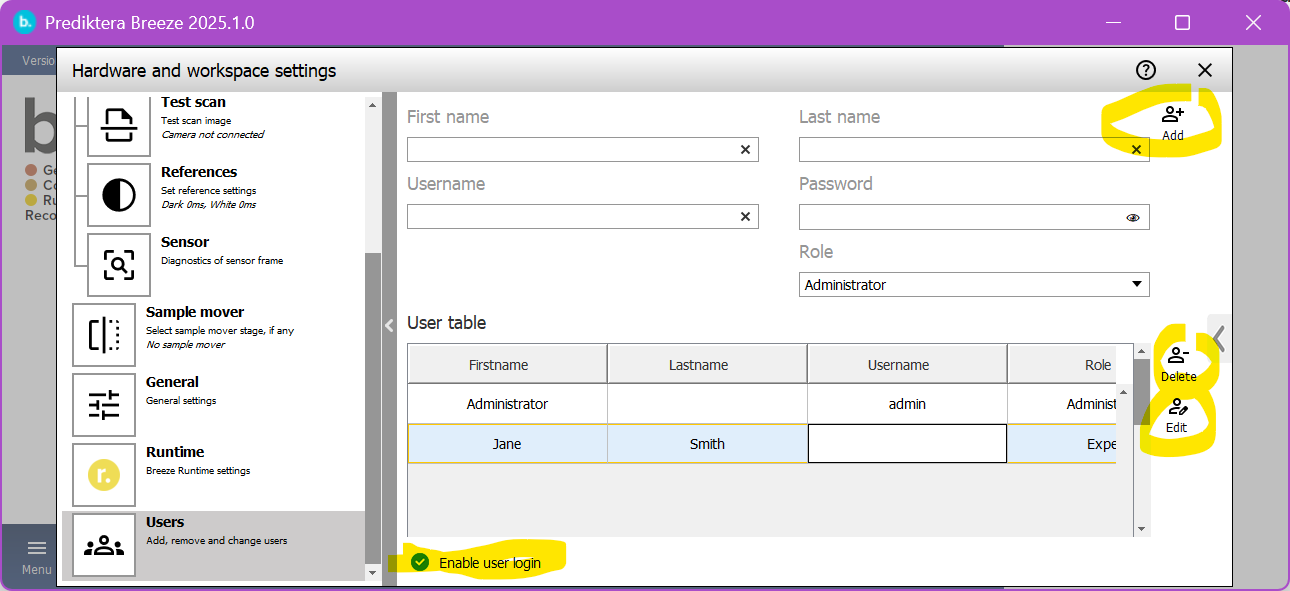
Navigate to the Users page in Settings:
-
The checkbox Enable user login at the bottom turns on user authentication when Breeze is started. If this box is not selected login is not required.
-
Add a user by typing their name, password and role, and then clicking Add in the upper right.
-
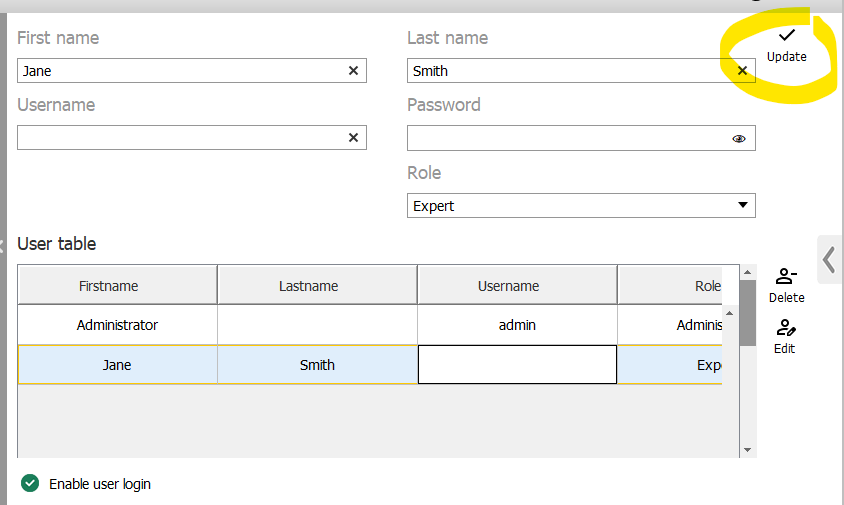
Edit an existing user by selecting it in the list and clicking Edit. The selected user’s details will be displayed in the form, and you can modify them. Click Update in upper right the to save the changes for the user:
-
Select a user and click Delete to remove it.
If you delete all users, the default administrator user will be re-created with an empty password.